Claude Cowork for Business: Reports That Write Themselves
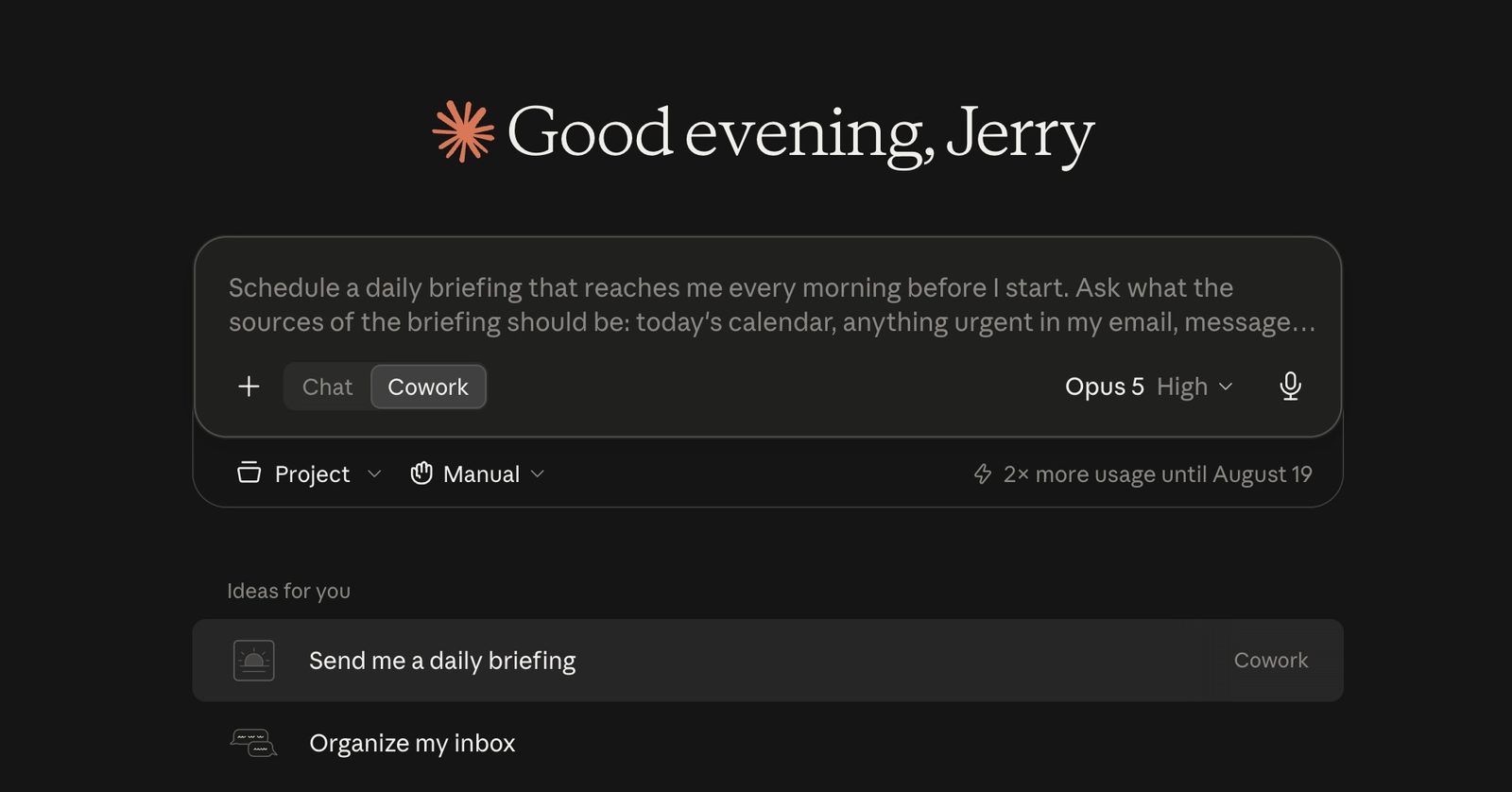
As of mid-2026, Claude Cowork is included in every paid Claude plan and can run scheduled tasks in the cloud, using skills and Google Drive connectors. For a small business, this means recurring reports can now produce themselves inside an existing AI subscription, with no third-party automation tools.
Something I’m starting to observe in my consultations: business owners have stopped asking what AI is. They are asking how to make it run without them.
Just this week, a manufacturing company owner I worked with last year told me the question on his mind was not whether AI could analyze his data. He had already done that himself. His question was how to automate that kind of analysis, so his team receives the output every morning without anyone asking for it.
For most of the past decade, that question had an expensive answer. You needed custom software built for you, or automation tools like Zapier, Make, and n8n, plus a consultant to wire it all up, and a monthly bill for tools your team barely understood.
That answer quietly changed in mid-2026, and I think most Philippine business owners have not noticed yet.
Your AI subscription became an automation platform
An automation needs three ingredients.
The thinking. The data. The trigger.
The thinking is a skill: a saved, reusable set of instructions that carries your expert’s process, not just a one-off prompt.
The data comes through connectors that read your files where they already live, starting with Google Drive.
The trigger is a scheduled task that runs in the vendor’s cloud, on a cadence you set, even when every laptop in your office is closed.
What changed is that the major AI suites now ship all three, inside the subscription you may already be paying for. Claude Cowork is included in every paid Claude plan at no extra cost, and since July 2026 it runs on web and mobile. Its scheduled tasks can run hourly, daily, or weekly, and they can use your skills, your connectors, and your plugins together. On the other side, ChatGPT Work launched in July 2026 with scheduled tasks, its own Skills feature, and Google Drive file access added that August.
No integration middleware. No code. No new vendor to evaluate. For schedule-shaped work, the automation layer is already in the plan.
The morning report pattern with Claude Cowork
Here is the pattern I keep coming back to with business owners, because almost every company has a version of it.
Your system already produces data. Your accounting software, your POS, your ERP can export a file on a nightly schedule into a shared Google Drive folder. A scheduled skill reads the newest file every morning, runs the analysis the way your best analyst would, and the report is waiting before the team sits down.
Not raw numbers. The variances that matter, the accounts that need a call today, the branches that need attention, written in the format your team already uses.
Think about the reports your business runs on. Daily sales per branch. Collections aging. Inventory reorder flags. Most of them are produced the same way every time, by a person who has better things to do, di ba? That is exactly the work this pattern absorbs.
I am not describing a demo. I run my own company this way. My meeting recordings file themselves into an organized knowledge base with insights and action items extracted. My content pipeline drafts, checks, and packages work while I review the output.
The owner I mentioned above told me he finished, in half an hour, an analysis of employee attrition and retention that would previously have taken two weeks of back-and-forth.
One business owner's own estimate for a workforce analysis he ran himself with Claude. Across the deployments I see, the slow part was always the assembling, never the math.
Skills are where your judgment lives
The technology is the easy half of this. The hard half is getting your expert’s process out of their head.
A prompt asks. A skill instructs.
When you save a skill, you are writing down the steps in order, the rules with their reasons, the watch-outs, the exact output format, and the check that must pass before the result counts. Picture two rules like these: never compare a branch against the national average, because branch sizes differ too much. Flag any swing above thirty percent for a data check first, because it is usually an encoding error.
Rules like those are worth more than any tool subscription, because they are the difference between a generic report and your company’s report.
This is why I tell owners that the scarce resource in this wave is encoded judgment, not software. The companies getting ahead are the ones sitting their department heads down and interviewing them: what do you produce, when, following what rules, checked how? Every skill written that way is an automation waiting for a schedule.
There is a real difference between the platforms here, worth knowing before you commit. A Claude skill is a folder that can carry reference files alongside the instructions, including a gold-standard example of the finished output for the AI to measure against, and it works on the individual Pro plan. ChatGPT’s Skills feature, at the time of writing, is available on workplace plans such as Business and Enterprise. In practice that means a solo owner can prove the whole loop on Claude for the price of one individual subscription before buying a single extra seat.
What this route cannot do
I want to be honest about the limits, because overclaiming is how AI projects lose trust.
These automations are schedule-shaped, not event-shaped. They act on a timer or on request, never the instant a customer submits a form or a file lands in a folder. High-volume, event-driven workflows still belong to tools like Zapier, Make, and n8n, or to purpose-built software.
There are caps, too. ChatGPT limits how many scheduled tasks can be active per user, five on the individual Plus plan at the time of writing. Claude documents no cap on the number of tasks, but every run draws from your plan’s usage allowance, so twenty scheduled reports will hit a ceiling that two will not.
And a scheduled report still needs a named human who reads it. AI can misread a malformed file or produce a confident summary of the wrong tab. The fix is to start with low-stakes reports, keep a person accountable for each one, and let trust grow with evidence.
So this route will not run your whole operation. And that is still worth paying attention to, because the reports it does absorb are exactly the ones eating your team’s mornings.
Where this sits on the adoption journey
In The 4A Blueprint by Jerry Ilao, this is the move from Level 1 to Level 2: from AI that helps when you ask, to AI built into processes that run on their own. Level 2 used to demand middleware, documented SOPs, and months of process work, which is why many small businesses skipped it. The AI-suite route lowers that gate, and this is where practical AI adoption starts to compound.
One expert, one afternoon, one process that now runs on its own.
What comes after is Level 3, where AI holds real roles under supervision. That is a bigger step with bigger governance requirements, and it is a decision to make from a roadmap, not from excitement. But you earn the right to make it by banking Level 2 wins first.
Where to start this week
Pick one recurring report. Not your most important one, your most repetitive one.
Ask its owner to write down the steps they take, the rules they apply, and the reason behind each rule. Attach one past example of the report done well. Hand that to Claude and ask it to create a skill. Run the skill against last month’s data and compare it with the gold example. Where it falls short, add the missing rule, with its reason, and run it again.
Then connect the data folder, set the schedule, and let tomorrow’s report arrive on its own.
The question used to be, can we afford an automation project? The better question now is, which of our reports should write itself first?

Jerry Ilao
AI Business Strategist · Creator of The 4A Blueprint
Jerry Ilao is the founding president of the Philippine AI Business Association (PAIBA), co-founder and CEO of AI consulting company Olern, and co-founder of Tarkie, field-work software used by 15,000+ Filipinos. He has led 200+ digital transformation projects since 2014 and now helps Philippine businesses adopt AI through The 4A Blueprint™, his practical framework for progressing from AI assistants to automation, agents, and AI-first operations.