How Allianz–Synergia Managers Prepared BPO Reports in Minutes
Allianz–Synergia runs contact-center campaigns, and its managers live in reports: daily, weekly, monthly and year-to-date views of campaigns, agents, quality scores and incentives. In October 2026, its leadership team tested AI on those reports.
- Engagement
- Practical AI for Business workshop
- Participants
- Leadership and management team
- Industry
- BPO and contact-center operations
- Workshop
- October 23, 2026
- Facilitator
- Jerry Ilao
Agent performance report
An operations manager rebuilt the year-to-date agent performance report the team prepares twice a month.
Incentive monitoring
A manager prepared the twice-monthly incentive review.
Personal dashboard
A senior manager built a monthly dashboard of KPIs and trends, including review and corrections.
Participants' own estimates from the workshop survey, including review and corrections.
The challenge: a week spent building reports
In a BPO, the review cycle never stops. Managers compare campaign targets with actual results, track agent productivity, check quality scores, review incentives and prepare updates for leadership. Most of it is assembled by hand from spreadsheets.
The team was already comfortable with AI: in a survey before the workshop, 25 of 26 said they used AI tools every day or a few times a week. What they wanted was help with the reporting itself.
The workshop: their own reports, their own data
On October 23, 2026, Jerry Ilao ran a full-day, hands-on workshop for the company's leadership and management team.
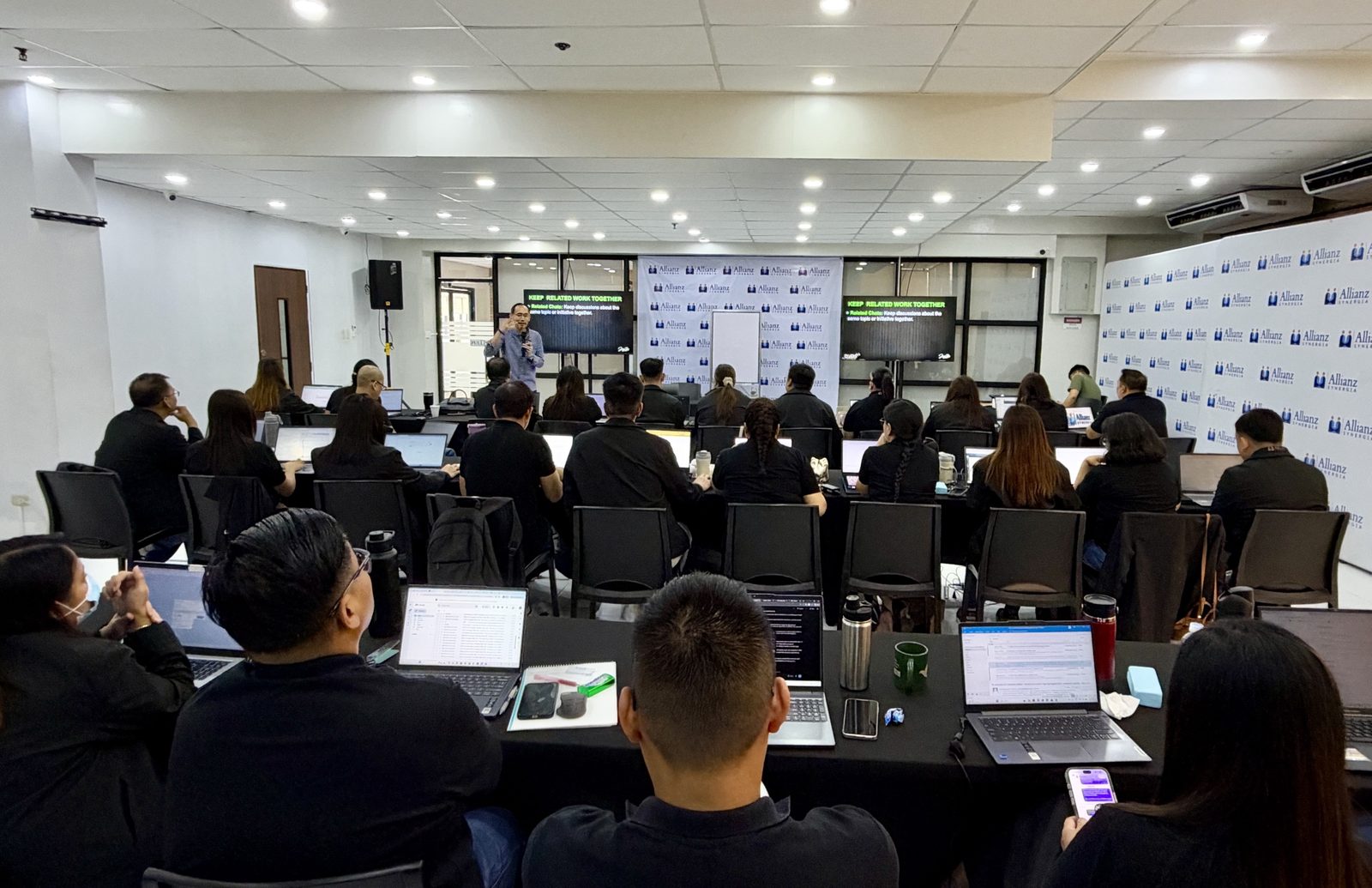
The session covered structured prompting, research, analysis and management summaries, reviewing AI output critically, and personal dashboards. Dashboards are not normally part of the standard workshop. They were added because the pre-workshop survey showed how much of the team's time went into reports and monitoring.
Most of the afternoon was spent applying AI to the reports participants actually prepare, then comparing the result with their usual output.
What the teams found
Performance reports
Agent, campaign and scorecard reports that normally take from half an hour to a full day were drafted in about 5 to 10 minutes:
- A year-to-date agent performance report: 1 day → 5–10 minutes
- A monthly campaign performance review: 30 → 5 minutes
- A performance scorecard: 2 hours → 5 minutes
Because many of these reports come around every week, the savings add up. A 30-minute report prepared 15 times a month, cut to 5 minutes, gives back about six hours.
Incentives and quality reviews
Participants tested the reviews that affect pay and coaching, with managers checking the results against their own rules. An incentive report went from 4 hours to 5 minutes, and a weekly quality report that "probably" took days came down to about 5 minutes.
Dashboards
The dashboard module was the most popular of the day. Managers built views they could filter by period and measure, instead of preparing a new spreadsheet each time someone asks a question. A team dashboard updated several times a week went from more than 2 hours to 2 minutes.
The bigger lesson: measure the review time too
Participants consistently named the same conditions for good results: clean source data, specific prompts and a person who reviews the output before it is used. One finance lead described a management report that normally takes one to two days as "minutes for a draft and 1 to 2 hours for the final review." That review is what makes the report safe to send.
And this was only Level 1
Every result on this page came from Level 1 of The 4A Blueprint: a manager doing the work, with AI as an assistant. Nothing was connected to the company's systems and nothing ran on its own. Each report still needed someone to upload the data, run the prompt and check the output.
That is the point. Level 1 needs no new software, no integration project and no IT queue, and it already turned day-long reports into minutes.
There is more to gain at the next levels.
At Level 2, AI can be connected to the company's systems, so a report prepared the same way every week pulls its own data and runs automatically. At Level 3, an AI Agent can monitor performance and flag what needs a manager's attention. Level 1 shows the team which reports are worth automating, and what a correct output looks like, before anyone invests in those steps.
A good Level 1 is the foundation for the higher levels. The clean data, clear calculations and tested prompts built here are what automation and AI Agents run on.
Start with Level 1. The gains are already significant, and they show you what to automate next.
What participants said
"What surprised me most was how AI reduced the time needed to complete the report from one day to just 5 minutes, including review and corrections."
"AI is not just a tool to make faster, it is an opportunity to work smarter and improve productivity. But don't just depend on AI result, we must sharpen our thinking process."
Key outcomes
- 27 managers tested AI on reports they prepare every week or month.
- 26 of 27 rated the AI-assisted result much better than their usual output, and all 27 said they would use the approach again.
- Reports that normally take hours or a day were drafted in about 5 to 10 minutes, by participants' own estimates.
- Clean data, specific prompts and human review emerged as the conditions for reliable results.
- All of these results came from Level 1, a manager using AI as an assistant, with room to gain more through automation and AI Agents.
What other BPO leaders can learn
Start with the report your managers rebuild most often, not the one that looks most impressive in a demo. Agree on the calculations and review standards, then test whether AI can produce a useful first version from the same data.
Time both steps: how long AI takes to draft the report, and how long your team takes to check and fix it. If the checking takes almost as long as doing it by hand, the process isn't ready yet. So improve the data, the prompt or the calculations before you roll it out.
For a map of where AI fits across a BPO operation, see AI for BPO in the Philippines. For the same reports in other teams, see AI for Customer Service and AI for Sales.
About this case study
What did Allianz–Synergia managers work on during the AI workshop?
Who attended the Allianz–Synergia AI workshop?
How much time did participants save?
Bring your reports. See what AI does.
Hands-on AI workshops for management teams, built around the reports and decisions your managers handle every week.
Explore AI workshops for business teams → Discuss AI-powered reporting with Tellix →